- Posted On: 2026-10-08
- Posted By: akash
- Total Views: 155
- Home
How to Get Your Beauty Salon on Google Maps in Kolkata
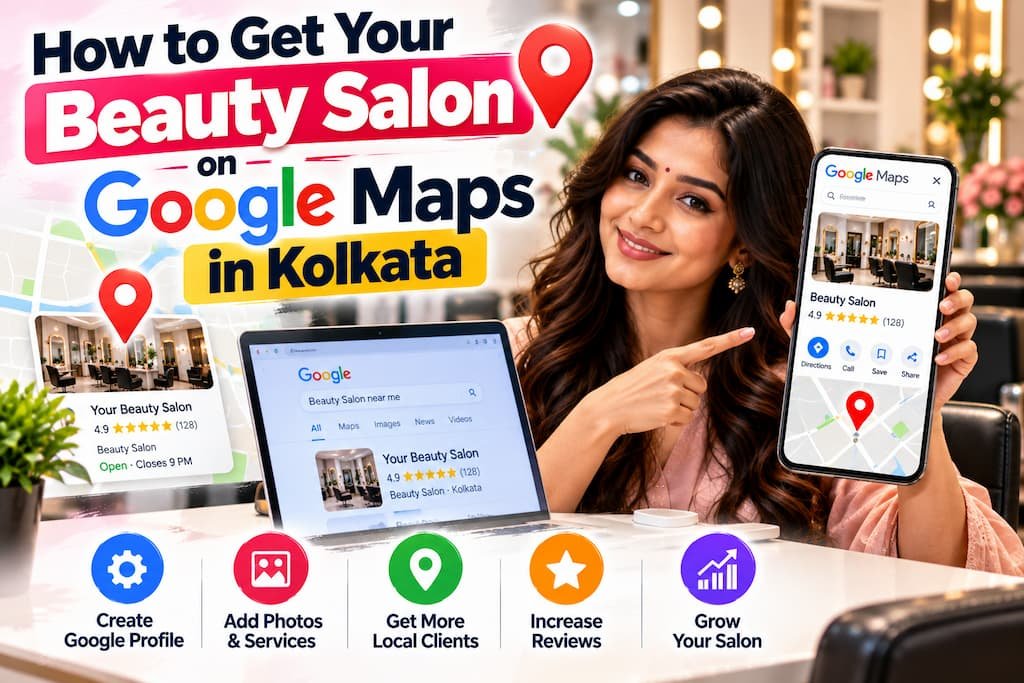
For a beauty salon, one free tool brings more new customers than any other: a complete Google Business Profile. It is what puts your salon on Google Maps when someone nearby searches "salon near me" or "bridal makeup in my area". This guide shows you, step by step, how to set it up and keep it winning those searches in Kolkata.
Salon Marketing Series
This article is part of DotCreative's step-by-step series on growing a beauty salon or parlour in Kolkata:
- The complete salon growth guide (start here)
- Google Business Profile for salons (you are here)
- Instagram and Reels ideas for salons
- Bridal and Durga Puja season marketing
Table of Contents
- Why This One Listing Matters So MuchSet Up and Verify Your ProfilePick the Right CategoriesPhotos That Get You ChosenServices, Hours and PricesUse Google Posts and the Booking ButtonThe Review Habit That Lifts RankingKeep Your Name, Address and Phone ConsistentQuick Setup ChecklistFrequently Asked Questions
If you have read our main salon growth guide, you know the Google Business Profile is Step 1 for a reason. This article is the full walkthrough of that step, written so you can do it yourself in an afternoon.
Why This One Listing Matters So Much
When someone in Kolkata wants a haircut, a facial or bridal makeup, they rarely scroll a website. They search on Google or open Google Maps, and Google shows three nearby businesses at the top with stars, photos and a call button. Most people choose from those three.
Your Google Business Profile is what decides whether you are one of those three. A complete, active, well-reviewed profile is usually a salon's single biggest source of new walk-ins, and it costs nothing. That is why it comes before Instagram, before ads, before everything.
Set Up and Verify Your Profile
- Go to business.google.com and sign in with a Google account you control (not a staff member who may leave).
- Search for your salon in case a listing already exists. If it does, claim it. If not, create it.
- Enter your exact salon name, full address and phone number, exactly as you want them to appear everywhere.
- Complete verification - Google confirms you are the owner by postcard, phone, email or a short video. Until this is done, you will not rank.
Verification is the step most salons get stuck on, so follow Google's prompts carefully and keep the code safe when it arrives.
Pick the Right Categories
Your primary category is one of the strongest ranking signals. Pick the most specific one that matches your main work:
- Mostly hair? "Hair salon".
- Mostly makeup and bridal? "Makeup artist" or "Bridal shop".
- A full ladies salon and makeover studio? "Beauty salon" as primary, with secondary categories for hair, makeup, nails and skin.
Add every relevant secondary category, but keep the primary one honest and specific. A vague "Salon" tells Google very little.
Photos That Get You Chosen
Photos are what make someone tap your listing instead of the one above it. Profiles with real, recent photos get far more calls and direction requests.
- Add a clear logo and a welcoming cover photo of your salon.
- Show the interior so a new customer knows it is clean and professional.
- Add genuine before-and-after work - bridal looks, haircuts, skin and hair results (with the customer's permission).
- Include a few photos of your team at work; faces build trust.
- Refresh photos often. An active profile signals a living business.
Services, Hours and Prices
Fill the profile completely. Every blank is a reason for someone to pick a more informative listing.
- List your services clearly - haircut, colour, facial, bridal makeup, party makeup, hair spa, and so on - with short descriptions and prices where you can.
- Set correct opening hours, and update them for festivals and holidays so no one arrives to a closed shutter.
- Add your website or booking link and a WhatsApp number if you take bookings there.
Use Google Posts and the Booking Button
Google Posts are small updates that appear on your profile, a bit like a free notice board. Use them to stay active and to promote what is on right now:
- A festive or bridal offer.
- A new service or package.
- A fresh before-and-after result.
Posting even once a week tells Google your business is active, which helps ranking, and gives the next customer a reason to choose you today.
The Review Habit That Lifts Ranking
Reviews do two jobs at once: they help you rank higher on Maps, and they convince the next person to trust you. Make collecting them a habit, not an afterthought.
- Ask every happy customer right after a great result, in person or on WhatsApp.
- Send your Google review link so it takes one tap - you can get this short link from your profile.
- Aim for a steady trickle of genuine reviews rather than a sudden burst.
- Reply to every review, good or bad, politely. It shows you care and Google rewards activity.
- Never buy fake reviews - Google can detect and remove them, and may suspend your profile.
Our guide on how a Google Business Profile grows local sales goes deeper on turning reviews into real bookings.
Keep Your Name, Address and Phone Consistent
Google trusts a business whose details match everywhere. Your salon's name, address and phone number should be written exactly the same on your Google profile, your website, your Instagram bio, JustDial, Facebook and any directory you are listed on. Small differences (a "Rd." in one place and "Road" in another) can quietly hold your ranking back. Pick one exact format and use it everywhere.
This is also covered in our local SEO guide on ranking on Google Maps in Kolkata.
Quick Setup Checklist
| Task | Done once | Keep doing |
|---|---|---|
| Claim and verify profile | Yes | - |
| Set correct primary and secondary categories | Yes | Review yearly |
| Add logo, cover, interior and work photos | Yes | Add new photos monthly |
| List services, prices and hours | Yes | Update for seasons |
| Add website and WhatsApp link | Yes | - |
| Google Posts | - | Weekly |
| Collect and reply to reviews | - | Every week |
Frequently Asked Questions
How do I get my salon on Google Maps in Kolkata?
Create and verify a free Google Business Profile at business.google.com with your salon's exact name, address and phone. Once Google verifies it (usually by postcard, phone or video), your salon starts appearing on Google Maps and in local search for terms like 'beauty salon near me'. Keep adding photos, services and reviews to climb the ranking.
Is a Google Business Profile free for a salon?
Yes, completely free. There is no charge to create, verify or maintain a Google Business Profile. The only cost is the time to fill it in properly and keep it active with photos, Posts and review replies.
What is the best category for a beauty salon profile?
Choose the most specific primary category that matches your main service - 'Beauty salon', 'Hair salon', 'Nail salon', 'Makeup artist' or 'Bridal shop'. Then add secondary categories for your other services. The right primary category is one of the strongest signals for where you rank.
How many reviews does a salon need to rank well?
There is no fixed number, but steady, recent, genuine reviews matter more than a big one-time pile. A salon with a regular flow of real reviews and replies usually out-ranks one with more reviews that stopped a year ago. Aim for a few new reviews every week.
Why is my salon not showing up on Google Maps?
The most common reasons are an unverified profile, a wrong or incomplete address, a vague category, no photos, or very few recent reviews. Also check that your name, address and phone match everywhere online. Fix those and visibility usually improves within a few weeks.
How long does it take to rank on Google Maps?
Many Kolkata salons see more calls and direction requests within a few weeks of completing and verifying their profile. Competitive areas and search terms take longer, so treat it as a steady habit of photos, Posts and reviews rather than a one-time setup.
Related Articles
This guide is for general information. Features of Google, Instagram and WhatsApp change over time, so check the latest in-app options when you set things up.
Setting up a Google Business Profile the right way, with the photos, categories and review flow that actually rank, is something DotCreative does every week for Kolkata salons. If you would rather have it done for you, we can help.
Get a Free Consultation