- Posted On: 2026-06-02
- Posted By: Anjali
- Total Views: 613
- Service: Digital Marketing
Free SEO Audit Checklist For Small Businesses In Kolkata (2026) - 25-Point Guide
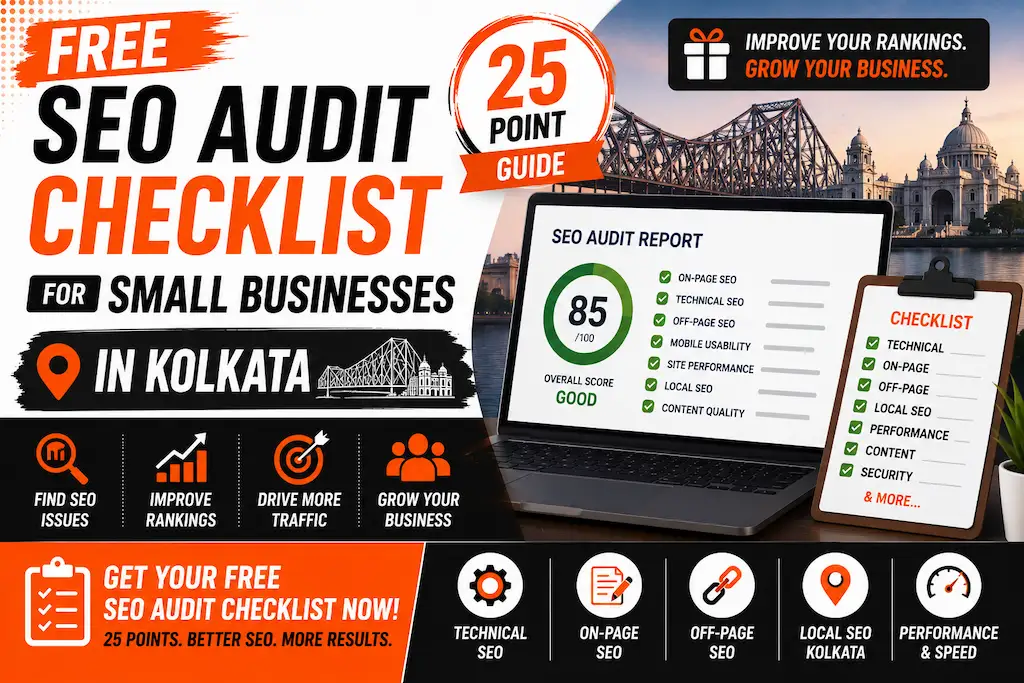
What Is an SEO Audit - And Why Every Kolkata Business Needs One
Your competitor's website is ranking on Page 1 for 'digital marketing agency in Kolkata' - and yours isn't. Why?
The answer almost always starts with an SEO audit.
Think of an SEO audit as a health check for your website. Just as a doctor checks your blood pressure and vitals before recommending treatment, an SEO audit systematically identifies every factor preventing your website from ranking on Google.
The stakes are real. Websites on Google's first page capture 91.5% of all search traffic (Backlinko, 2024). If you're not on page 1, you're essentially invisible to the majority of people searching for your product or service in Kolkata.
| 91.5% | 75% | 53% | 46% |
|---|---|---|---|
| of Google traffic goes to Page 1 Backlinko, 2024 |
of users never scroll past Page 1 Search Engine Journal |
of mobile users abandon slow pages Google Research |
of all searches are local in nature Google Data |
The good news? You don't need to pay thousands of rupees for an audit. This article gives you a free, actionable 25-point checklist broken into five key areas - Technical, On-Page, Content, Backlinks, and Local SEO - that any Kolkata business owner can work through today.
Work through each point, mark your passes and fails, and by the end you'll have a clear, prioritised list of exactly what's holding your website back. Let's start.
Internal Link: Before you dive in - if you'd like an expert to review your site alongside this checklist, learn more about our SEO services in Kolkata.
What You'll Learn in This Guide
- Part 1 - Technical SEO Checklist (Points 1–7)
- Part 2 - On-Page SEO Checklist (Points 8–13)
- Part 3 - Content Quality Checklist (Points 14–18)
- Part 4 - Backlink & Authority Checklist (Points 19–22)
- Part 5 - Local SEO Checklist (Points 23–25)
- Full 25-Point Checklist - Quick Reference Table
- What To Do After Your Audit - Fix It Yourself or Hire an Expert?
- Frequently Asked Questions
1. Part 1 - Technical SEO Checklist (Points 1–7)
Technical SEO is the foundation that everything else is built on. If Google can't efficiently crawl, load, or index your website, no amount of great content or backlinks will get you to Page 1. These 7 checks are non-negotiable.
- Point 1: Page Speed - Does your site load in under 3 seconds? Slow pages kill rankings and conversions. Test using Google PageSpeed Insights (free). Stat: 53% of mobile users abandon pages that take longer than 3 seconds (Google Research). Read more: how to optimize your website for faster load times.
- Point 2: Mobile-Friendliness - Is your website fully responsive on all screen sizes - phones, tablets, desktops? Google uses mobile-first indexing, meaning it ranks your mobile site first. Test with Google's Mobile-Friendly Test tool (free).
-
Point 3: HTTPS / SSL Certificate - Does your URL start with
https://(with the padlock icon)? Non-HTTPS sites are flagged as "Not Secure" by Chrome - a trust killer that increases bounce rates and signals poor quality to Google. - Point 4: Crawl Errors in Search Console - Log in to Google Search Console - go to the Coverage or Pages report. Are there any 404 errors (broken pages), redirect loops, or pages blocked from crawling? Each error is a wasted ranking opportunity.
-
Point 5: XML Sitemap Submitted - Does your website have an XML sitemap submitted to Google Search Console? A sitemap tells Google which pages exist and should be crawled. It's usually found at
yourwebsite.com/sitemap.xml. -
Point 6: Robots.txt Not Blocking Pages - Check your robots.txt file (
yourwebsite.com/robots.txt). Is it accidentally blocking Google from crawling important pages? This is a surprisingly common error - especially on WordPress sites after plugin updates. - Point 7: Core Web Vitals Passing - Google's Core Web Vitals are three speed/experience signals: LCP (Largest Contentful Paint - under 2.5 seconds), INP (Interaction to Next Paint - under 200ms), and CLS (Cumulative Layout Shift - under 0.1). Check them in Google Search Console under "Core Web Vitals."
Pro tip: All 7 technical checks above can be completed for free using Google Search Console, Google PageSpeed Insights, and Google's Mobile-Friendly Test - no paid tools required.
2. Part 2 - On-Page SEO Checklist (Points 8–13)
On-page SEO tells Google exactly what each page is about. These 6 elements must be optimised on every page you want to rank - whether it's your homepage, a service page, or a blog post.
- Point 8: Unique Title Tag on Every Page (<60 chars) - Is each page's title tag unique, under 60 characters, and containing the target keyword? Example of a strong title: "SEO Company in Kolkata | 44K+ Keywords Ranked | DotCreative". Weak: "Home Page" or "Welcome to Our Website."
- Point 9: Compelling Meta Description (<155 chars) - Does each page have a unique meta description under 155 characters that includes a call-to-action? Meta descriptions don't directly affect rankings, but they dramatically affect click-through rates - which do. Learn more about our SEO content writing in Kolkata.
- Point 10: One H1 Per Page with Target Keyword - Does every page have exactly ONE H1 tag - and does it contain the primary keyword? The H1 is your page's headline in Google's eyes. Multiple H1s confuse crawlers; missing H1s waste your most important on-page signal.
- Point 11: Logical Heading Hierarchy (H1 - H2 - H3) - Are your headings used in a logical order: H1 (page title) - H2 (main sections) - H3 (sub-sections)? Skipping levels - e.g., jumping from H1 straight to H4 - signals poor structure to both readers and Google.
- Point 12: Keyword Appears in First 100 Words - Does your target keyword appear naturally within the first paragraph of the page? This early placement signals relevance to Google and helps readers immediately confirm they're on the right page.
- Point 13: All Images Have Descriptive Alt Tags - Do all images on your site have descriptive alt text? Google cannot "see" images - it reads the alt tag to understand what the image shows. Blank alt tags mean missed keyword opportunities and poor accessibility.
3. Part 3 - Content Quality Checklist (Points 14–18)
Google's algorithm has become increasingly sophisticated at evaluating content quality. These 5 checks address the most common content problems that prevent Kolkata websites from ranking - even when their technical SEO is solid.
- Point 14: No Thin Content Pages (Under 500 Words) - Do any of your service or blog pages have fewer than 500 words? Google tends to rank comprehensive, in-depth pages over shallow ones. A service page with 150 words of generic copy will almost never rank competitively.
- Point 15: No Duplicate Content - Is any content on your site copied from another website - or repeated across your own pages? Use free tools like Siteliner or Copyscape to check. Read: does duplicate content hurt SEO?
- Point 16: No Keyword Stuffing - Are keywords used naturally throughout your content, or are they repeated unnaturally in every sentence? Keyword density should be around 1–2%. Stuffing keywords is a spam signal and can trigger Google penalties.
- Point 17: Content Updated Within the Last 12 Months - When were your service pages and key blog posts last updated? Google favours fresh, recently-updated content - especially for fast-changing topics like SEO, digital marketing, and business services.
- Point 18: Content Matches User Search Intent - Does each page actually deliver what the searcher is looking for? A page titled "SEO Services in Kolkata" should clearly explain what you offer, pricing details, and results - not just a generic sales pitch.
Not sure if your content is actually SEO-optimised?
DotCreative's SEO team will review your website's content and tell you exactly what needs to change - completely free for Kolkata businesses.
Get Your Free SEO Content Review -4. Part 4 - Backlink & Authority Checklist (Points 19–22)
Backlinks - links from other websites pointing to yours - are one of Google's strongest ranking signals. They work like votes of confidence: the more authoritative websites that link to you, the more Google trusts your site. These 4 checks assess your current backlink health.
- Point 19: Domain Rating (DR) Above 20 - Check your website's Domain Rating (DR) using Ahrefs Webmaster Tools or Moz's free checker. DR is a 0–100 score measuring your backlink authority. Below 10 = urgent work needed. Above 30 = competitive for most Kolkata searches. Read: SEO vs Google Ads in 2026 - which builds longer-term domain authority?
- Point 20: Multiple Quality Referring Domains - How many unique websites link to yours? 100 links from 1 website is far weaker than 50 links from 50 different authoritative websites. Quality and diversity of referring domains matter far more than sheer link count.
- Point 21: No Toxic or Spammy Backlinks - Use Google Search Console's Disavow tool, or a free checker like SEMrush's Backlink Audit, to identify spammy links pointing to your site. Bad backlinks can drag down your entire domain's trust score.
- Point 22: Backlink Gap Analysis Done - Use free tools like Ubersuggest or Neil Patel's SEO Analyser to see which high-authority websites link to your competitors but NOT to you. These are your highest-priority backlink targets.
Pro tip: Building backlinks is a long-term process, but local citations (listings on JustDial, IndiaMart, Sulekha) are a fast, free starting point that any Kolkata business can complete in a weekend.
5. Part 5 - Local SEO Checklist (Points 23–25)
For most Kolkata businesses - shops, clinics, restaurants, service providers, agencies - local SEO is often the fastest path to Page 1 rankings. When someone searches 'dentist near me in Tollygunge' or 'best bakery in Behala', Google shows local results first. These checks ensure you're visible when it matters most.
For the complete local SEO setup guide - including citations, reviews, and local schema - read: What Is Local SEO and How It Helps Kolkata Businesses.
- Point 23: Google Business Profile 100% Complete - Is your Google Business Profile (formerly Google My Business) claimed, verified, and fully filled out? Business name, address, phone, category, hours, photos, description, and services must all be accurate and complete. Incomplete profiles rank significantly lower in Google Maps.
- Point 24: NAP Consistency Across All Platforms - Is your Name, Address, and Phone number IDENTICAL across your website, Google Business Profile, JustDial, Sulekha, IndiaMart, and any other directories? Even tiny differences - "Street" vs "St." - can confuse Google and hurt your local rankings.
- Point 25: 10+ Google Reviews with 4.0+ Rating - Do you have at least 10 recent Google reviews with an average rating of 4.0 or above? Review quantity and recency are among the strongest local ranking signals. A business with 3 reviews rarely beats one with 80.
6. Full 25-Point Checklist - Quick Reference Table
Use this table to track your audit results at a glance. Print it, screenshot it, or share it with your web developer or marketing team. A completed audit typically takes 2–4 hours for someone familiar with Google Search Console.
| # | Checklist Item | Category | Your Status |
|---|---|---|---|
| 1 | Page loads in under 3 seconds | Technical | Pass / Fix |
| 2 | Mobile-friendly (Google Mobile Test) | Technical | Pass / Fix |
| 3 | HTTPS / SSL certificate installed | Technical | Pass / Fix |
| 4 | No crawl errors in Search Console | Technical | Pass / Fix |
| 5 | XML sitemap submitted to Google | Technical | Pass / Fix |
| 6 | Robots.txt not blocking important pages | Technical | Pass / Fix |
| 7 | Core Web Vitals passing (LCP, INP, CLS) | Technical | Pass / Fix |
| 8 | Unique title tag on every page (<60 chars) | On-Page | Pass / Fix |
| 9 | Compelling meta description (<155 chars) | On-Page | Pass / Fix |
| 10 | One H1 per page with target keyword | On-Page | Pass / Fix |
| 11 | Logical H1 - H2 - H3 heading structure | On-Page | Pass / Fix |
| 12 | Target keyword in first 100 words | On-Page | Pass / Fix |
| 13 | All images have descriptive alt tags | On-Page | Pass / Fix |
| 14 | No thin content pages (<500 words) | Content | Pass / Fix |
| 15 | No duplicate or copied content | Content | Pass / Fix |
| 16 | No keyword stuffing (1–2% density) | Content | Pass / Fix |
| 17 | Content updated within last 12 months | Content | Pass / Fix |
| 18 | Content matches user search intent | Content | Pass / Fix |
| 19 | Domain Rating (DR) above 20 | Backlinks | Pass / Fix |
| 20 | Multiple quality referring domains | Backlinks | Pass / Fix |
| 21 | No toxic or spammy backlinks | Backlinks | Pass / Fix |
| 22 | Backlink gap analysis completed | Backlinks | Pass / Fix |
| 23 | Google Business Profile 100% complete | Local SEO | Pass / Fix |
| 24 | NAP consistent across all platforms | Local SEO | Pass / Fix |
| 25 | 10+ Google reviews, 4.0+ rating | Local SEO | Pass / Fix |
Scoring guide: 23–25 = Excellent. | 18–22 = Good - fix the fails as quick wins. | 12–17 = Significant gaps - prioritise Technical and On-Page fixes first. | Below 12 = Urgent - consider professional help.
7. What To Do After Your Audit - Fix It Yourself or Hire an Expert?
You've completed the audit. You have a list of passes and fails. Now what?
Step 1: Categorise Your Issues by Effort
- Quick Wins (Fix in 1 day): Title tags, meta descriptions, H1 tags, image alt text, robots.txt, NAP consistency. These are straightforward changes any website admin can make.
- Medium Effort (Fix in 1 week): Thin content expansion, content freshness updates, Google Business Profile completion, local citation submissions. These take time but no technical expertise.
- Long-Term Fixes (1–6 months): Page speed optimisation, Core Web Vitals, backlink building, Domain Rating improvement. These require sustained effort or technical skills.
Step 2: Choose Your Path - DIY or Professional
The DIY path works well if you have time and are comfortable with tools like Google Search Console, Google PageSpeed Insights, and basic website editing. The checklist above covers everything you need.
The professional path makes sense when:
- You've completed the audit and don't know where to start fixing things
- You've tried DIY fixes but rankings haven't improved after 3+ months
- Your industry is competitive enough that DIY content won't break through
- Your time is worth more than ?2,000 per hour - in which case hiring always wins on the math
An SEO audit by an expert typically uncovers 3–4 times more issues than a self-audit, identifies competitive opportunities a checklist can't reveal, and resolves problems in a fraction of the time.
Related Reads from DotCreative
- How Much Does SEO Cost in Kolkata? (2026 Pricing Guide)
- SEO vs Google Ads - Which Is Better for Kolkata Businesses in 2026?
- What Is Local SEO and How It Helps Kolkata Shops & Service Businesses
- Find a Digital Marketing Agency in Kolkata - What to Look For
Ready to fix what's hurting your Kolkata website's rankings?
DotCreative offers a FREE SEO audit for Kolkata businesses.
900+ clients. 44,000+ keywords ranked. Trusted since 2016.
- SEO strategy and execution
- Content writing and blog management
- Google Business Profile optimisation
- Local citation and link-building
Claim Your Free SEO Audit Today -
Key Takeaways
- An SEO audit is a 25-point health check covering Technical, On-Page, Content, Backlinks, and Local SEO - all five areas must be healthy for consistent rankings.
- 91.5% of Google traffic goes to Page 1 - if you're not there, you're essentially invisible to potential customers in Kolkata.
- All 25 checks in this checklist can be completed using free tools: Google Search Console, PageSpeed Insights, and Ahrefs Webmaster Tools.
- Categorise your fails into Quick Wins (fix in a day), Medium Effort (fix in a week), and Long-Term (fix over months) to prioritise efficiently.
- For Kolkata businesses in competitive niches, a professional SEO audit uncovers 3–4x more issues than a self-audit and resolves them in a fraction of the time.
- DotCreative's SEO team offers a free audit for Kolkata businesses - 900+ clients, 44,000+ keywords ranked since 2016.
Frequently Asked Questions
What is an SEO audit?
An SEO audit is a comprehensive health check of your website that identifies every technical, on-page, content, backlink, and local SEO issue preventing your site from ranking on Google. This checklist covers the 25 most critical audit points for Kolkata businesses.
How long does an SEO audit take?
A self-audit using this checklist typically takes 2–4 hours for someone familiar with Google Search Console. A professional audit by an agency like DotCreative takes 3–5 business days and covers 100+ data points with a prioritised roadmap.
Is a free SEO audit enough for a Kolkata business?
This free checklist gives you a solid foundation covering 25 critical areas. For deeper competitive analysis, backlink profiling, and a prioritised fix roadmap, a professional audit uncovers 3–4x more issues and gives you a specific action plan.
What tools do I need for this SEO audit?
All 25 checks can be completed using free tools: Google Search Console, Google PageSpeed Insights, Google's Mobile-Friendly Test, and Ahrefs Webmaster Tools (free plan). No paid subscriptions are needed for this checklist.
How often should I do an SEO audit?
Run a full audit every 6 months. Run a quick technical check (Page Speed, Search Console errors, Core Web Vitals) every month. After any major site change - new design, CMS migration, major content update - run an audit immediately.
What's the most important part of an SEO audit for a Kolkata small business?
For most Kolkata small businesses, Local SEO (Points 23–25) and Technical SEO (Points 1–7) deliver the fastest results. Getting your Google Business Profile to 100% and fixing page speed issues can improve local rankings within 4–8 weeks.